SELF-HOSTED · TERRAFORM + HELM · ZERO SEAT LICENSES
Infrastructure changes, cleared for launch.
Terraducktel plans, scans, and gates every Terraform and Helm change before it
touches production — running entirely on your own docker compose,
for the cost of nothing per seat.
MIT licenseddocker compose or HelmYour state, your buckets, your rules
Why self-hosted
The same discipline as a SaaS orchestrator. None of the toll booth.
Terraform Cloud, Spacelift, and friends are great — until the per-seat bill lands, or
your state and cloud credentials leave your network. Terraducktel is the boring version
of the same idea: a small FastAPI orchestrator, Postgres, and your own cloud storage.
Terraducktel
Free, self-hosted — one docker compose up away
Your own S3, Azure Blob, or GCS + Postgres hold state and credentials, always
Business Units multi-tenancy built in, no paid tier
Helm workspaces run through the same gated pipeline as Terraform
It's a FastAPI app — fork it, read it, change it
Typical SaaS orchestrator
Per-seat or per-workspace pricing that scales with your team
State and credentials live in their cloud, not yours
Multi-tenancy is often gated behind an enterprise tier
Helm/Kubernetes support is rare, or bolted on separately
Customization is whatever the vendor's roadmap allows
The pipeline
Watch a change all the way from plan to production.
Every run walks the same gated path — clone, scan, plan, price, approve, apply — and
every step is visible while it happens, not after.
run #142 · demo-account-1 / us-east-1 / admin-portal
clone
checkov
plan
cost
approval
apply
01 — SEE EVERYTHING
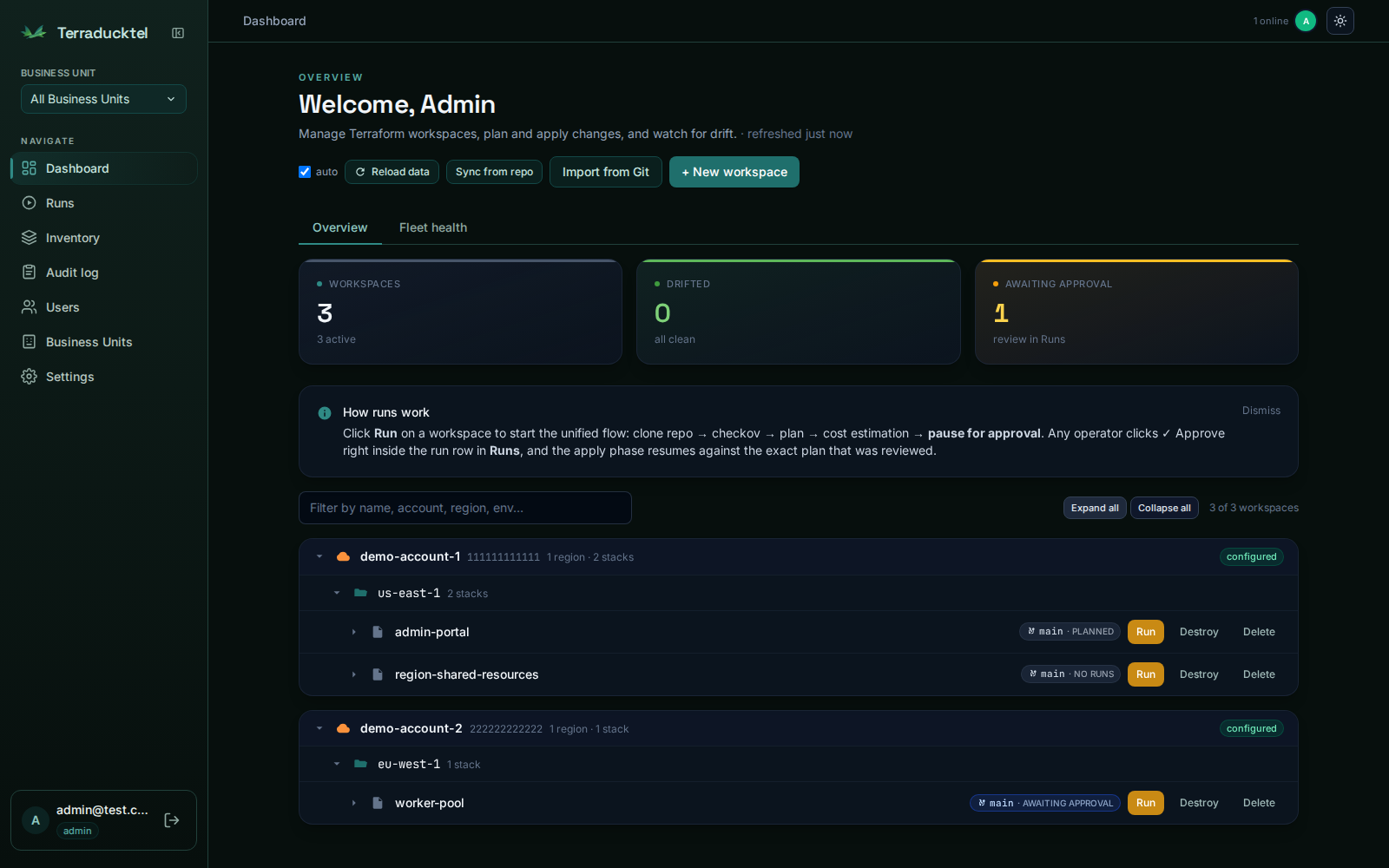
Every workspace, one dashboard.
Grouped by cloud account and region, with live drift status and a running count of
what's waiting on you. Import a whole repo's worth of stacks in one pass, or add
workspaces by hand.
02 — WATCH IT HAPPEN
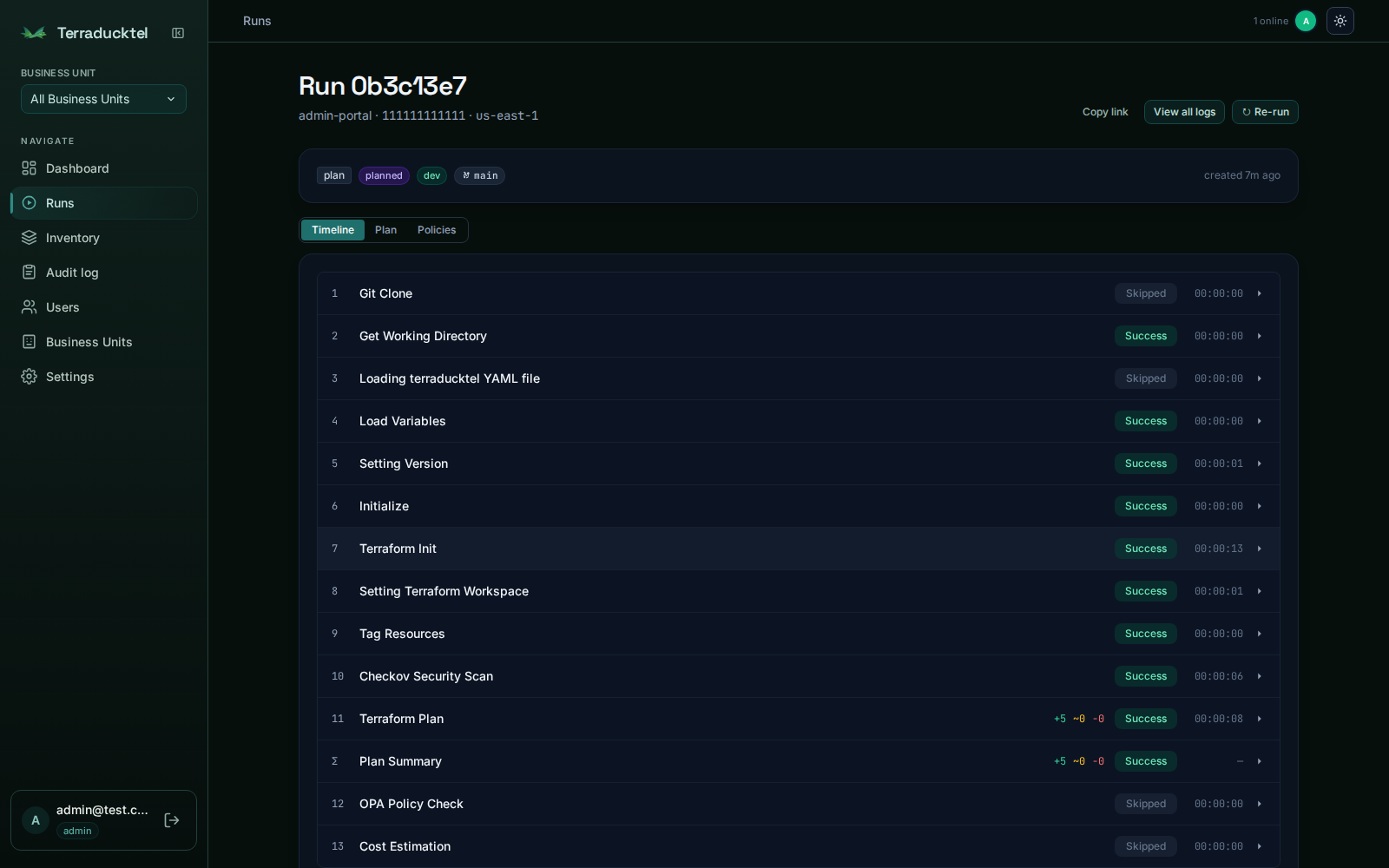
Clone, Checkov, plan, price — step by step.
Each run streams its output live: git clone, security scan, Terraform plan, OPA
policy check, cost estimate. If something's going to fail, you see exactly where.
03 — STAY IN CONTROL
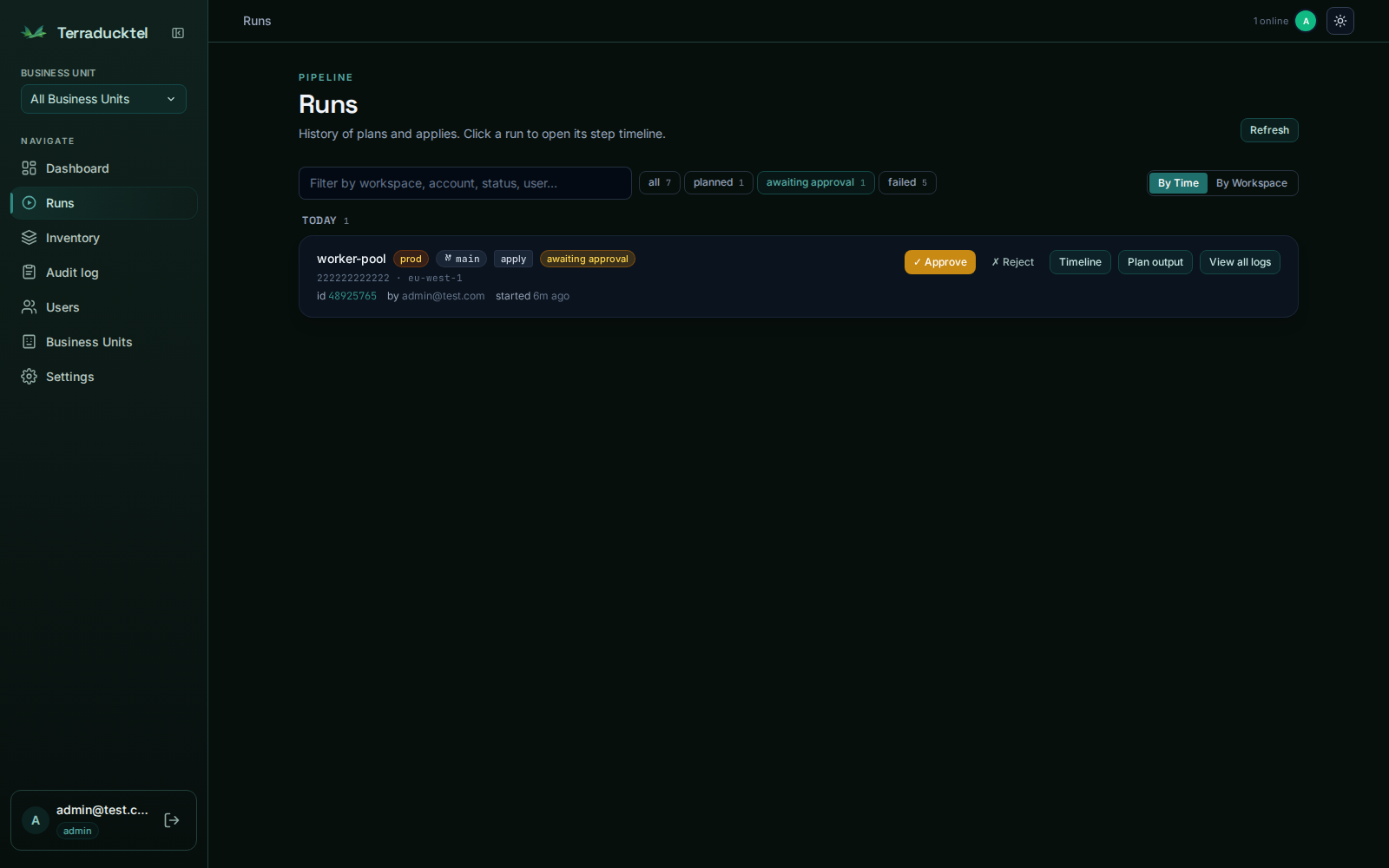
Nothing applies without a human saying so.
Every apply parks at awaiting_approval
until an operator reviews the exact plan and clicks approve. Any operator — including
whoever triggered it. Every decision lands in the audit log.
What's inside
Everything a Terraform orchestrator should do, none of what it shouldn't.
AWS, Azure & GCP
One gated pipeline across all three clouds. Register accounts, subscriptions, or
projects; the executor injects the right provider credentials per run.
Pluggable state backends
Keep Terraform state in S3, Azure Blob, or GCS — chosen per workspace. Each AWS
account still gets its own dedicated bucket, and the state path mirrors your git
layout, 1:1.
Encrypted credentials at rest
AWS keys, GitHub PATs, Slack URLs — Fernet-encrypted with an HKDF-derived key.
Plaintext never leaves the request handler.
Drift detection
A background worker periodically plans every workspace and surfaces drift right on
the dashboard.
Git-tree workspace import
Point it at a repo that follows account/region/leaf
and bulk-import every stack, with environment auto-detected per leaf.
Helm, through the same gate
Target a Kubernetes cluster instead of an AWS account. helm diff
replaces plan, same approval FSM, same audit trail.
Multi-tenant Business Units
Each BU owns its own accounts, clusters, and workspaces. Superadmins see across all
of them for break-glass ops.
Quick start
Running in the time it takes to read this.
Clone it, set four values in .env, and bring up
Postgres, LocalStack, the API, and the UI. Sign in with the seeded admin account and
import your first workspace straight from Git.
Prefer Kubernetes? A Helm chart ships in
deploy/helm/terraducktel —
helm install tdt deploy/helm/terraducktel -n terraducktel --create-namespace.
# clone & configure
git clone https://github.com/mormor83/terraducktel.git
cd terraducktel && cp .env.example .env
# bring it up
docker compose up -d postgres localstack api ui
docker compose exec -T api alembic upgrade head
docker compose exec -T api python scripts/seed_dev_users.py
# → http://localhost:3001# → admin@test.com / password123
Your infrastructure. Your rules. Your duck.
MIT licensed, no telemetry, no seat count. Fork it, run it, break it, fix it.